
Where progress is saved, and moving it with a growth code
In shortStars, XP and badges are saved only in the browser you are using. To continue on another device, copy the growth code from “My growth” and paste it there. Signing up does not yet save records to an account.
Where records are saved
The age picked under “Learn”, the nickname, stars, XP and badges are all stored in your browser and never sent to a server. That is why you can start without an account. It also means records do not follow you to another device or browser.
When records can disappear or go missing
- You cleared the browser’s history or site data
- You practised in a private window that keeps no records
- You opened the site in a different browser, even on the same device
- You replaced or reset the device
If the records matter to you, copy the growth code into a notes app now and then. You can bring back the records from that moment.
Moving records with a growth code
- Open My growth on the device that has the records.
- Press “Copy” on the “Growth code” card.
- Send the code to yourself by email or a notes app.
- On the new device, open My growth and paste it into the box labelled “Paste a growth code from another device”.
- Press “Import”.
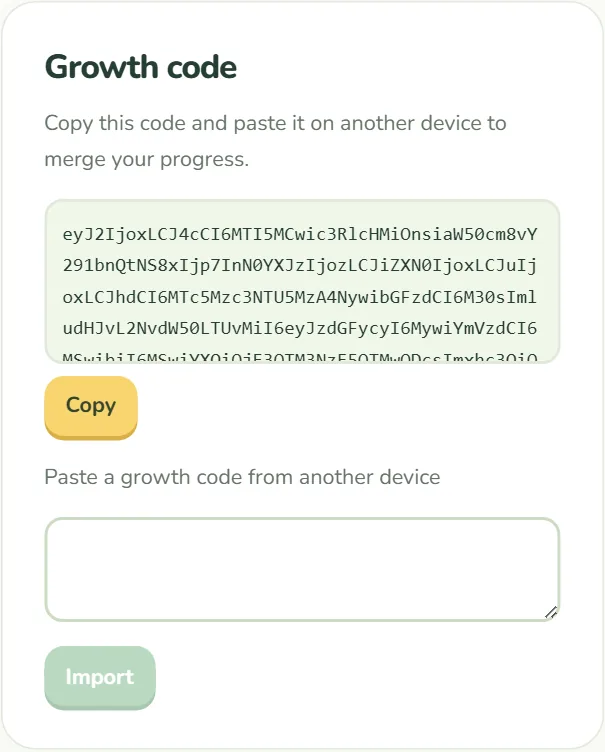
If the new device already has records, they are merged, not erased. For each step’s stars and for XP, the larger of the two values is kept, and badges from both sides are kept. XP is not added together.
A code only holds records from the moment it was copied. If you switch between devices, copy a new code each time.
Nicknames and shared devices
- The name box on My growth can stay empty. If you use it, we suggest a nickname instead of a real name.
- A growth code contains the nickname and learning records, so do not post it anywhere public.
- If several children share a device, their records appear combined. A separate browser profile for each child keeps records apart.
Erasing records
“Erase my records” at the bottom of My growth removes all records in this browser. This cannot be undone, so copy your growth code first if you might need it.
Sign-up and records
Parent sign-up is optional. Right now it only creates an account; log-in and automatic sync between devices are in the works. Until then, records stay in the browser whether or not you sign up. See the privacy policy for details.